
Give an illustration or photo a new life as a colouring activity. Paint by Numbers turns your source image into numbered regions with a colour key, ready to arrange in Canva.
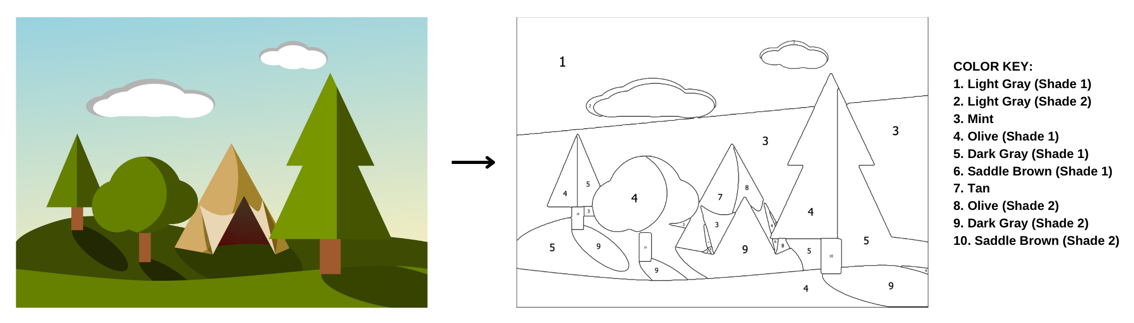
Step 1: Open Paint by Numbers
- Visit Paint by Numbers on Canva.
- Choose Use in existing design to work in a project, or Use in new design for a fresh colouring page.
- If Canva doesn’t open the design, allow popups for Canva and try again.
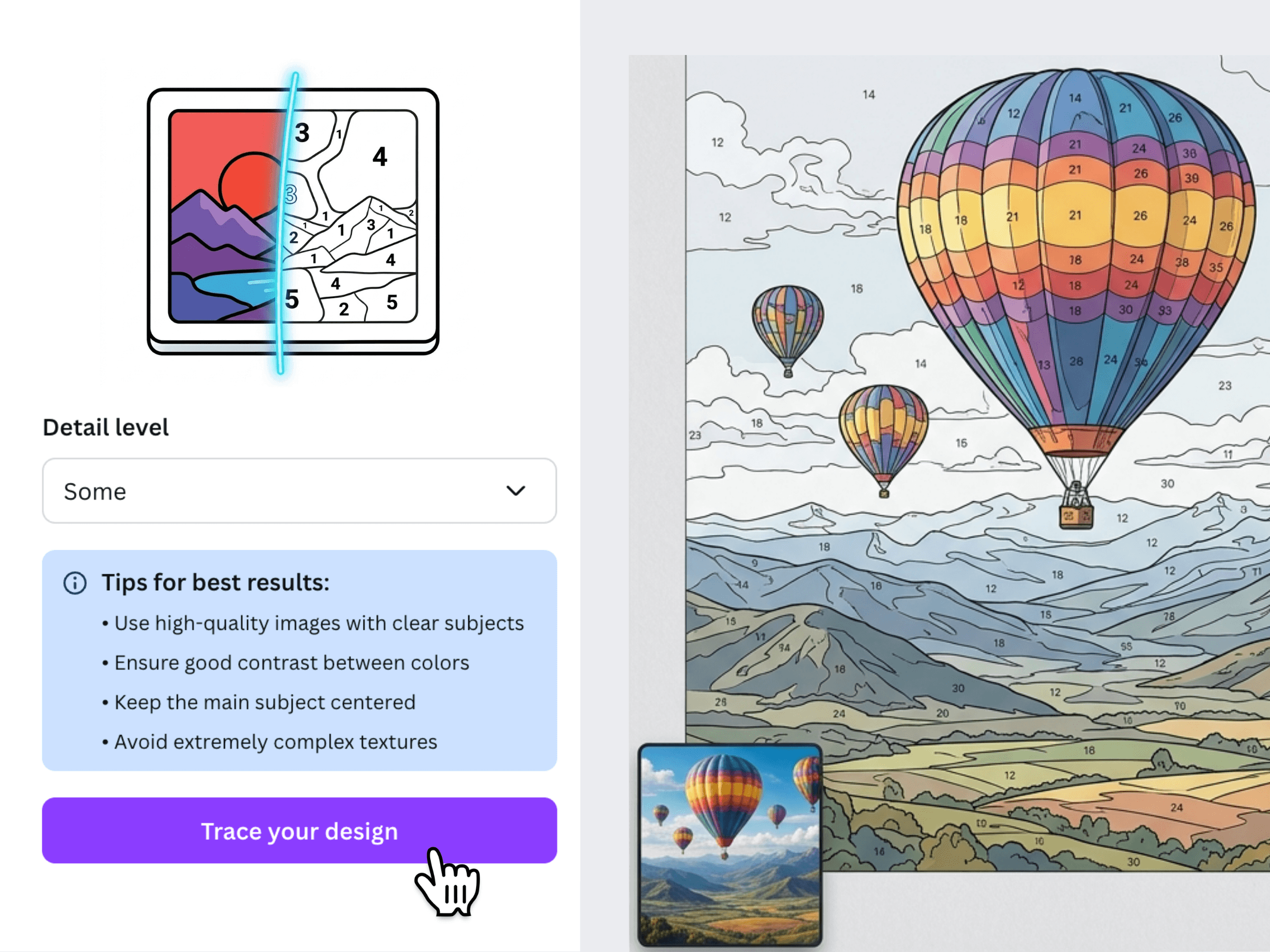
Paint by Numbers is made by us at Fifteen Sparks. You can try it for free. To use its activities in printed books, purchase a commercial license.
Step 2: Pick an image
Illustrations with bold colours and a clear subject are a good starting point. You can also use your own photos or process a Canva design.
The video below shows how to find a camping illustration on Pixabay:
- Select Illustrations above the search box.
- Search for a theme that suits your activity.
- Choose a picture with distinct shapes and areas that will be comfortable to colour in.
- Download it as a PNG file. Some illustrations offer SVG files, so check the format before downloading.
Step 3: Create the colouring activity
- Return to Canva and select Upload a photo in the Paint by Numbers app.
- Choose the image you downloaded and wait for the conversion.
- Review the numbered regions and colour key, then resize and arrange the result on your page.
If your artwork is already on the canvas, choose Use current Canva design instead of uploading a separate image.
Step 4: Find the right detail level
Start with Medium, then compare the other detail settings. A complex photo may need a lower level to avoid tiny regions, while a simple illustration can stay clear at higher detail.
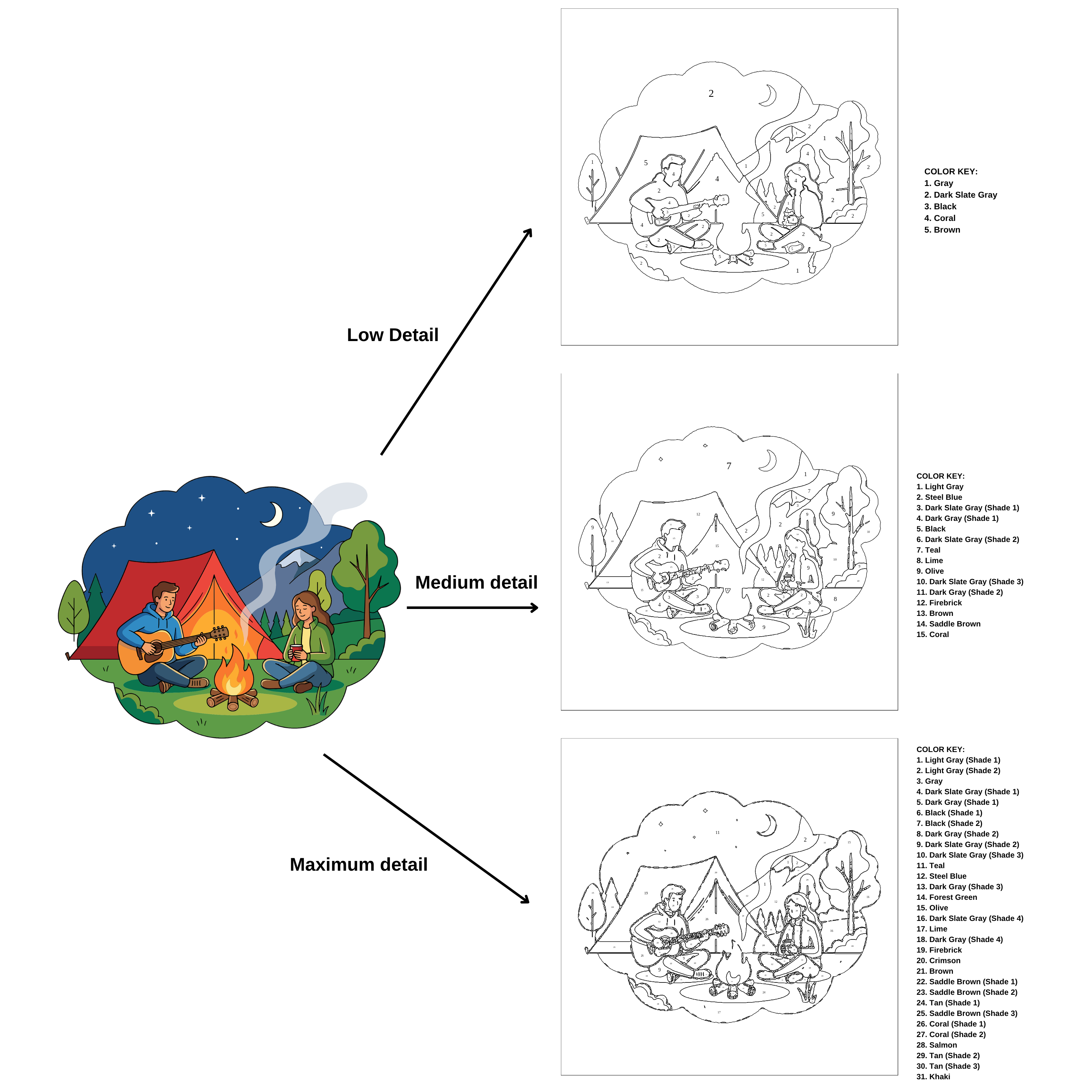
Try a few source images to see which gives you the most inviting colouring page. Before printing a batch, test-print one copy and check that the numbers and smallest regions are easy to see.